

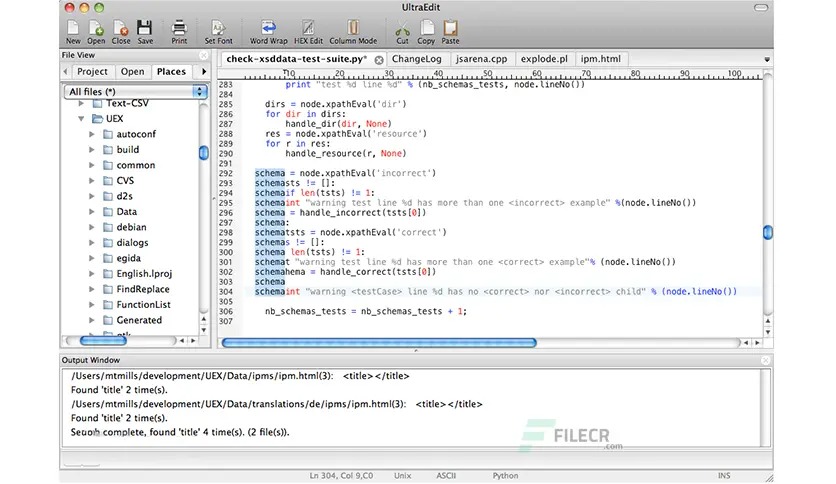
 Overview of UltraEdit for macOS
It’s the best text editor globally and is now available for Mac. It is a native Mac app based on the renowned Windows text editor. It includes a wide range of capabilities perfect for everything from basic text editing to full-fledged development in C, Objective C, Javascript, XML, PHP, Perl, Python, and others.
Moreover, It includes your favorite features such as Find in Files, Replace in Files, native FTP/FTPS, macros, scripting, column/block mode, and much more.
Features of UltraEdit for macOS
- Multi-caret editing and selection
- Easily open and edit large files – 4 GB and beyond!
- Full Git integration
- Column (block) mode editing
- Powerful search: Find & replace in files, regular expressions, inverse search, etc.
- File compare
- Code syntax highlighting for nearly any programming language
- Code folding and hierarchical function listing
- Beautify and reformat source code
- Powerful XML handling: the XML tree view, reformatting, validation, etc.
- Templates
- Integrated Ctags (symbols listing)
- Password prompt for editing privileged files
- Multi-window / instance support
- Column Markers
- File and data sorting
- Integrated FTP client (supports FTP, SFTP, and FTPS)
- Filtered spell checker
- Unicode/UTF-8 support
- Split/duplicate window editing
- Hex editing
- Macros and scripts for automated editing
- File encryption and decryption
- CSV data reformatting
- Powerful and configurable tools
- Project support
- Robust bookmarking
Technical Details and System Requirements
- MacOS 10.12 or later (Apple Silicon compatible)
If the legitimate rights and interests of the original author are infringed, please contact us to delete it.